Old documents often contain valuable information, historical records, business details, and important personal memories. But, paper can become fragile over time due to dust sunlight moisture, and improper storage. Digitizing these records helps preserve their information and makes them easier to access whenever needed. With the right techniques, you can scan old documents safely without causing unnecessary damage.
1. Inspect Documents Before Scanning
Check each document thoroughly before scanning. Check for torn edges, loose pages, old brittle paper, ink fade or water marks. Do not try to separate pages of documents stuck together as this can cause permanent damage.
If you have sensitive historic data, photographs, or fragile files, make use of expert file scanning services, which use the appropriate equipment and the right technique.
2. Clean the Documents Carefully
Dust off with a soft, dry brush. Do not use water, cleaning solutions, or damp cloths because wetness can cause deterioration of the paper and bleeding or smudging of the printed ink. Touch documents with clean, dry hands and support pages when moving them.
Proper document handling is a crucial part of any document digitization process, in particular when working with old business records, archives, and historical documents.
3. Choose the Right Scanning Equipment
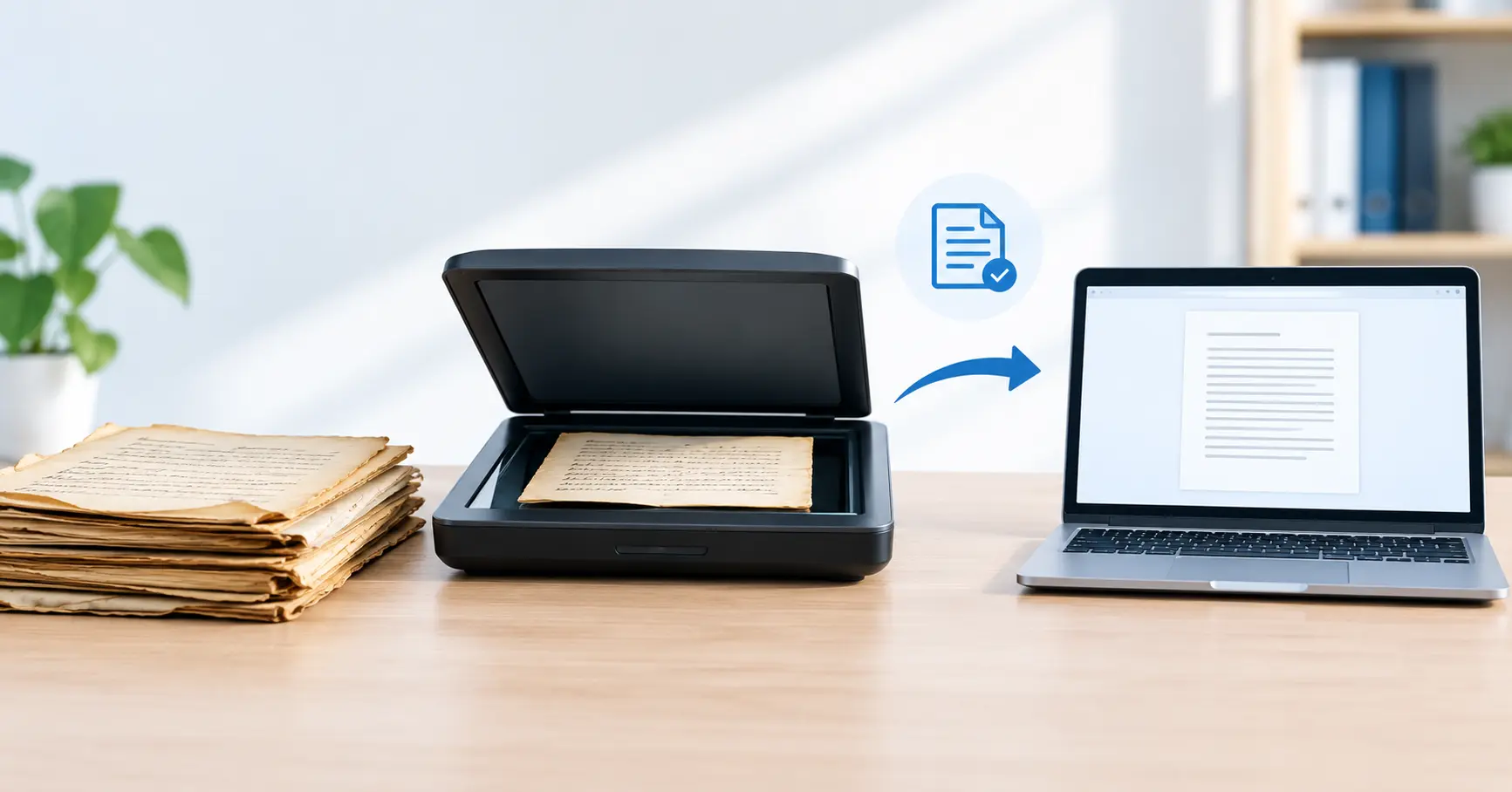
Picking the right equipment can help avoid damage. Use a flatbed scanner if you want to be kind to your documents because pages can be laid flat without feeding through rollers. Don’t use an automatic document feeder for torn, fragile, or inherently delicate paper.
If you have a big number of business records to digitize, consider using professional document scanning companies to turn the hard-copy documents into files and data using scanners that are scaled to the size of your document collection.
4. Use Appropriate Scanning Settings
Appropriate scanning parameters ensure you are producing a readable digital copy while minimising unnecessary handling of the original documents.
Consider these recommendations:
Resolution: set it to 300 dpi for all but the smallest text documents. Higher resolutions like 600 dpi may be required for very small text, fine detail, or preservation situations.
Format Files: Save a document as a PDF for easy reading and sharing. Save a document as a TIFF for high-quality archival image preservation.
Colour Setting: Select Colour scan if your document has Colour, stamps, annotations, photographs, or has faded ink.
Preview: Verify the scan before moving to the second document to save rescanning it.
Following these guidelines will ensure smooth and quality document digitization.
5. Organize and Back Up Digital Files
Once scanned, file them with descriptive, names, dates, folders, or document ID#. For documents that you need to be able to search by specific words, scan with searchable pdf files using optical character recognition (OCR).
Make digital copies and store them in locked storage locations. Keep backups to prevent loss of data. Consider using a document management service that will assist you in both the organization and management of your digital files and records.
6. Consider Professional Document Scanning and Digitization Services
Time-consuming physical document scanning many of the documents may be old and difficult to digitize, taking a lot of time. When documents are sensitive, consider use document scanning experts to handle them appropriately.
These solutions may benefit offices, educational establishments, healthcare organizations and companies with large document bases or archives.
Frequently Asked Question
1. How can you scan old documents without damaging them?
Use a flatbed scanner, keep your hands clean when handling, and do not try to force pages that are previously folded or if the page itself is delicate. Scan softly, providing support to thin paper.
2. Which scanner is best for scanning old documents?
In general, what is best for these delicate pages is a flatbed scanner, which holds pages still and can do away with the rollers found in many automatic document feeders.
3. What is the safest DPI for scanning old documents?
For most text documents, a 300 dpi resolution is fine; for faded or detailed text, as well as handwritten pages, you will likely want to scan at 600 dpi.
4. Should old documents be cleaned before scanning?
Lightly brush with a soft brush to remove any surface dust from a piece that is in a stable condition. Never use water, cleaning products or adhesives on old paper.
5. Can you scan fragile or torn documents?
Yes, with caution. Flatten the paper on a flatbed scanner, limit handling, and for much damaged or fragile papers you can hire a professional document scanning company to digitize the documents.
6. Is it better to convert old papers to color or monochrome?
Color scanning is usually preferred, as it can retain paper discoloration, ink differences, stamps, and handwritten notes that might otherwise not be captured by black and white scanning.
7. Can scanned old documents be made searchable?
Yes. OCR is a tool that recognizes characters in scanned images and makes the text searchable and selectable. Review your results, as faint or handwritten text may not be recognized accurately.
Conclusion
Digitizing old records safely when doing so is key so it’s a good idea to treat old records with respect and use the correct scanning equipment, digital formats, and settings to convert them to digital files for the future. For old records in fragile condition or larger projects, professional document scanning and digitization services may be the way forward.